ES6 有些讓人欲罷不能的語法
回顧
昨天用ESLint,照顧程式碼風格,今天真的要來寫程式了
目標
ES6 有些讓人欲罷不能的語法,它們超超超…常用,不能不會:
- 模組(module) / 套件(package)的使用
- 箭頭函數(Arrow function)
- 解構賦值 (Destructuring Assignment)
- 擴展語法(Spread syntax)
- 類別(Class)
- JSON 物件:序列化(serialization)物件
讓人欲罷不能的語法
模組(module) / 套件(package)的使用
在 Day 3 - 一周目- 建立 第一個Node.js 專案 我們安裝了人生第一個套件 lodash,在我們的程式中要怎麼用呢?
不幸的,javascript 程式碼是否能正常執行是由執行環境境決定的,所以不同的環境語法可能有些微的不同。Node.js 和多數瀏覽器用的ES6 有不同的模組引入方法
總結如下:(截錄自exports、module.exports和export、export default到底是怎回事)
require: Node.js 和 ES6 都支援的引入export/import: 只有ES6 支援的導出引入module.exports/exports: 只有 Node.js 支援的導出
從環境的角度:
- Node.js
- 模組引入
require1 const _ = require('lodash'); - 模組導出
module.exports/exports1module.exports = { 2 myFun: ()=>{} 3}
- 模組引入
- ES6
- 模組引入
require/import1import _ from 'lodash'; // 或 const _ = rquire('lodash'); - 模組導出
export1export default { 2 myFun: ()=>{} 3};
- 模組引入
Node.js雖然是CommonJS規範, 但不久的將來也可以用 import 了,見Node.js v10.11.0 - ECMAScript Modules
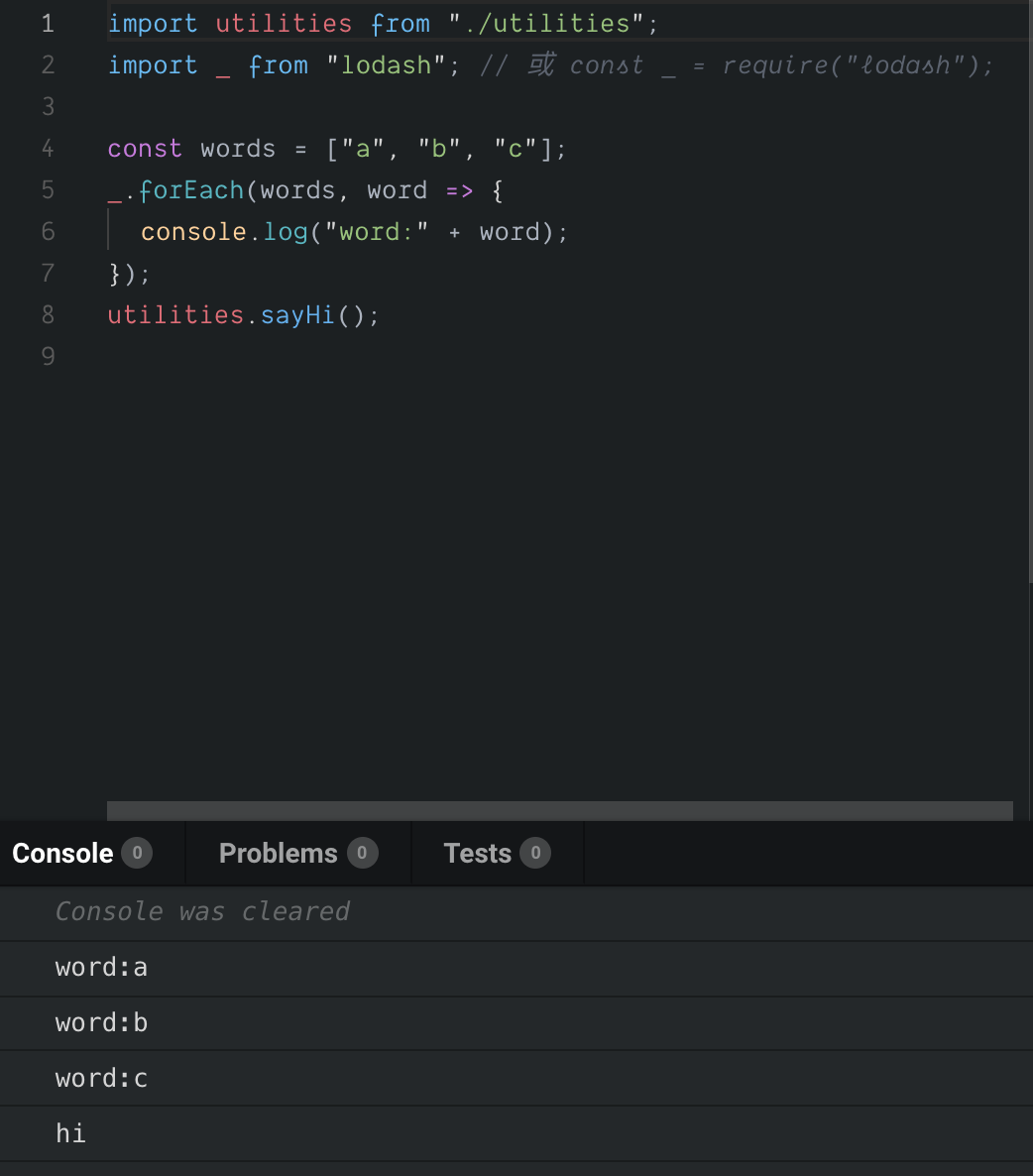
下面可以看到完整的範例:
- Node.js module usage:可以在裡面開一個terminal,輸入
node ./src/index.js,看到結果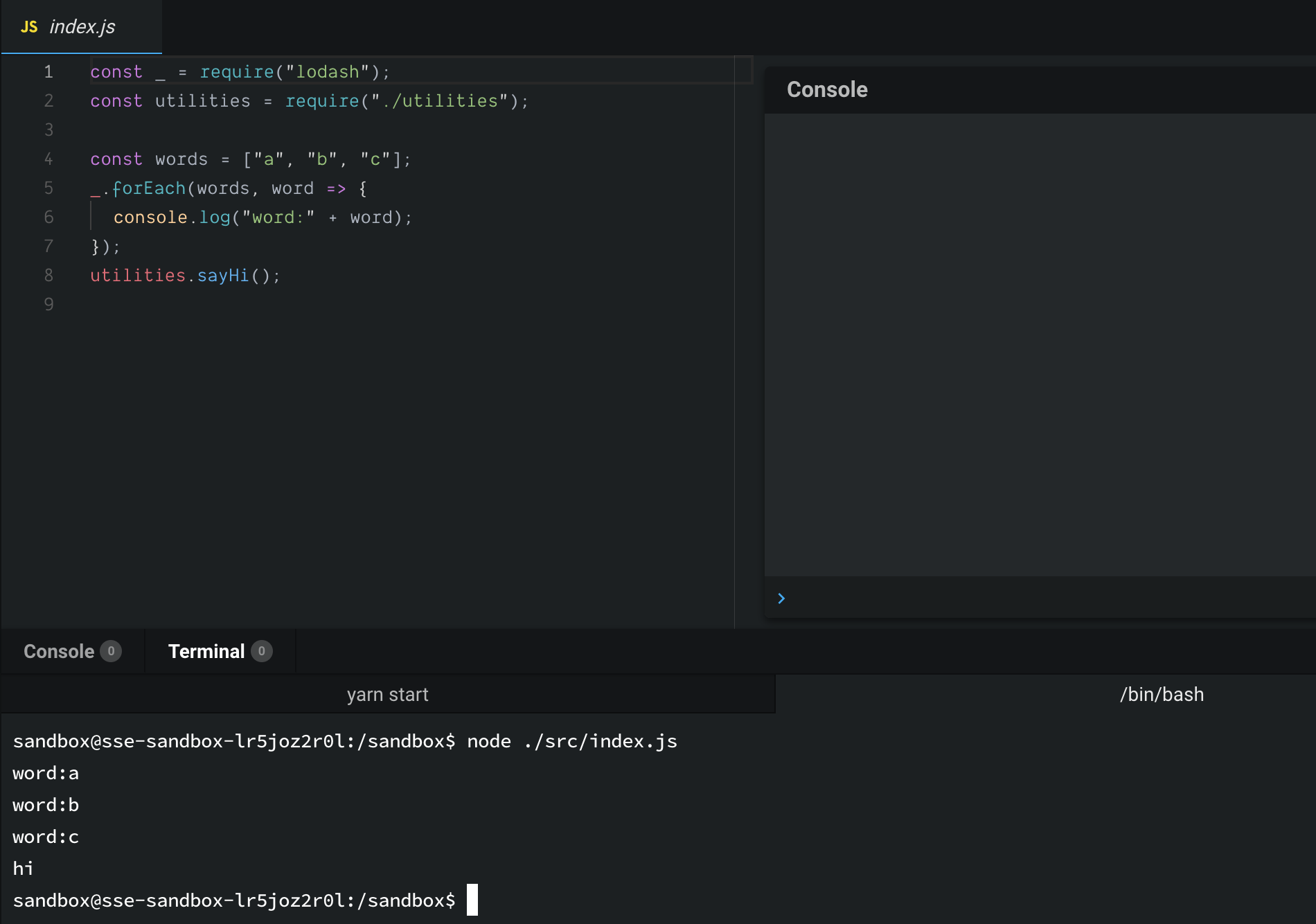
- ES6 module usage:可以看 Console 頁籤看到結果
箭頭函數(Arrow function)
這曾在Day 5 - 一周目- 從VSCode debug 模式看作用域(Scope)、this、閉包(Closure)介紹過,他的外型如同他名字有箭頭 () => {}
常用在哪
-
不用命名的函數/暱名函數:有些時候命名函數是多此一舉的事
1const names = ['billy', 'may'];
2const persons = names.map(name => {
3  return {name: name};
4});
這裡的箭頭函數表明了把字串(ex:
'billy') 轉成物件(ex:{name: 'billy'}),函數命名是多些一舉的 -
簡化表達式: 除了
function字拿掉了,若回傳值可以用一行程式碼表達,連{…}和return也可以拿掉1const names = ['billy', 'may']; 2const persons = names.map(name => ({name: name}));是不是更簡化了阿~ 注意,因為回傳是物件,但物件的
{…}會和函數的{…}區塊弄混,所以要用(…)包起來 -
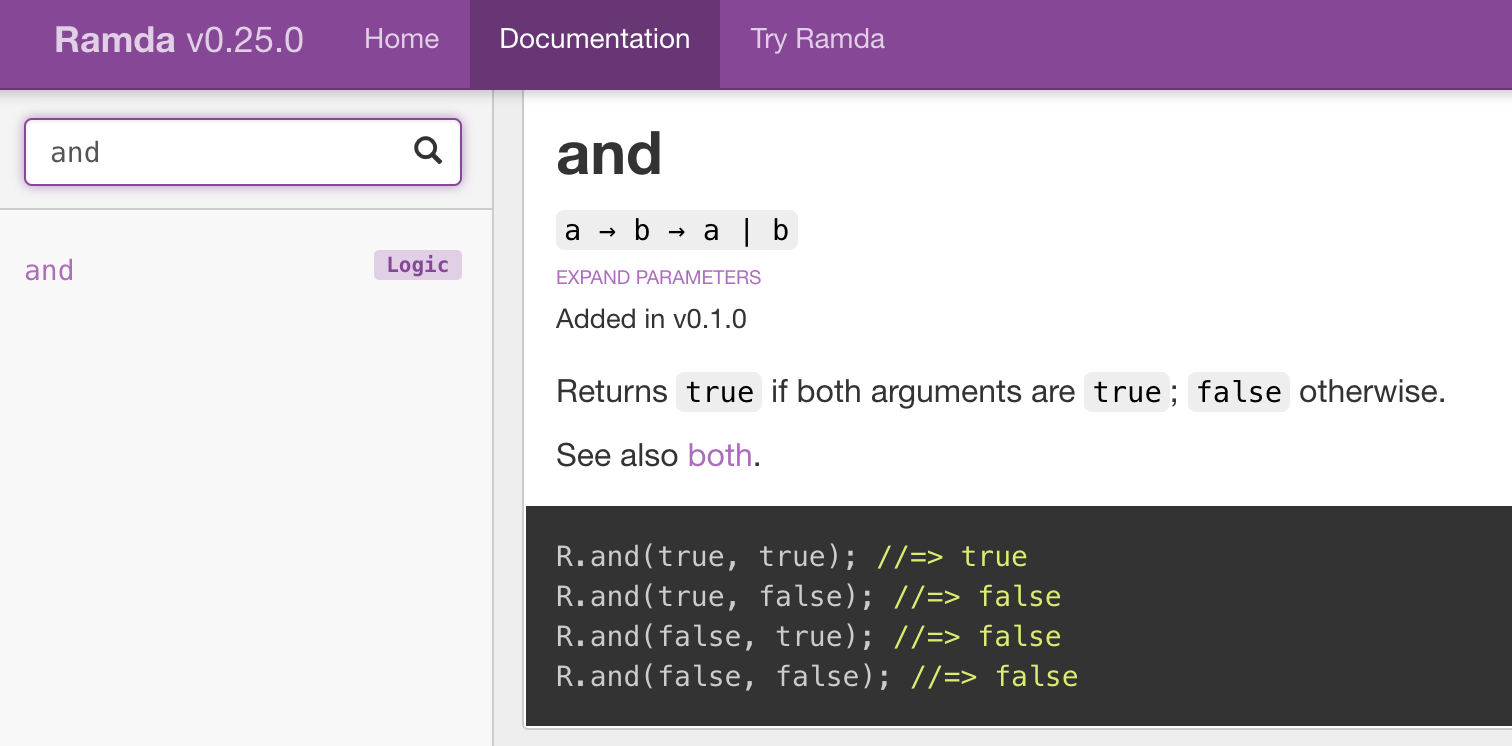
清楚的函數表達作用:常出現在 Functional programming 中,像是 Ramda文件中經常會出現用來表達作用。
 1// Statements - 一般函數版本
 2function plus(b, x) {
 3    return x + b;
 4}
 5function mult(a, x) {
 6    return a * x;
 7}
 8function linear(a, b, x) {
 9    return plus(b, mult(a, x));
10}
11console.log(linear(2, 1, 3));
12
13// Declarative programming - 箭頭函數版本
14const linearGen = a => b => x => a * x + b;
15const linear21 = linearGen(2)(1);
16console.log(linear21(3));
17
18// linearGen 用一般函數就像下面
19function _linearGen(a) {
20    return function (b) {
21        return function (x) {
22            return a * x + b;
23        };
24    };
25}
26console.log(_linearGen(2)(1)(3));
其實 一般的函數和箭頭函數還是有些微的不同,可以見 Arrow function vs function declaration / expressions: Are they equivalent / exchangeable?。通常是發生在
this被動態修改時就會出現差異(像是:call,apply…之類的)。
解構賦值 (Destructuring Assignment)
Destructuring Assignment 我覺得是 ES6 最酷的語法(我目前只在 ES6 看到,其它語言沒見過),一行程式碼做兩件事(以物件為例):
- 解構:取出值
1const person = {name: 'Billy'}; 2const name = person.name // 取出值 - 賦值:沒值就預設
1const person = {name: 'Billy'};
2const id = person.id || 'No ID'
用 Destructuring Assignment 就是
1const person = {name: 'Billy'};
2const {name, id = 'No ID'} = person;
若 name 已被宣告過可以換變數名字,用 : 符號
1const person = {name: 'Billy'};
2const {name: nickname, id = 'No ID'} = person;
3console.log(nickname, id); // Billy, No ID
Destructuring Assignment 可以對 Array 或 Object 使用,文件 Destructuring Assignment 舉了很多用法,我只列我常用的
物件解構 Object destructuring
- 一般用法
1const person = {name: 'Billy', gender: 'man'}; 2const {name: nickname, id = 'No ID'} = person; - 保留剩餘:取出要處理的部分,剩下的可以留下做之後的事
1const person = {name: 'Billy', gender: 'man'}; 2const {name, ...others} = person; 3console.log(others); // { gender: 'man' } - 函數簽章參數解構:用於顯式的指明函數簽章(Signature)
這裡
1const person = {name: 'Billy', gender: 'man'}; 2function welcomePerson({name = 'guest'} = {}) { 3 console.log(`Hi! ${name}`); 4} 5welcomePerson(person); // Hi! Billy 6welcomePerson(); // Hi! guestwelcomePerson({name = 'guest'} = {})中的= {},是函數參數若沒傳就是空物件{} - 函數物件參數解構:用物件當參數,未來可以任意的放入新的屬性,而不用改呼叫者(caller),例如:函數簽章
f(a, b)改成f(obj)。經常被用在 options1const options = {type: 'type1'}; 2function welcomePrefix(options = {}) { 3 const {type} = options; 4 return type === 'type1' ? 'Hi! ' : 'Hello! '; 5} 6console.log(welcomePrefix(options) + 'Billy'); - 函數回傳解構
1 function getPerson() {
2   const person = {name: 'Billy'};
3   return type === 'type1' ? 'Hi! ' : 'Hello! ';
4 }
5 const {name} = getPerson();
6 console.log(name); // Billy
陣列解構 Array destructuring
陣列解構依於 順序 ,我反而少用
1function getPair() {
2  return ['a', 1];
3}
4const [word, number] = getPair();
5console.log(word, number); // a 1
擴展語法(Spread syntax)
... Spread syntax 也是 ES6 必用的語法。可以用在 React component 中,把值「展開」送到 component中,例如:假設 props = {name: 'Name', price: 1},放到 <MyComonent/> 中 <MyComonent title='Title' {...props} />, 相當於 <MyComonent title="Title" name="Name" price=1 />。
以下是我常用的情況
-
保留剩餘:「物件解構-保留剩餘」中的
const {name, ...others} = person就是用到 Spread syntax -
用建立新陣列/物件
 1// object
 2const options = {type: 'type1', auto: true};
 3const newOptions1 = {enable: true, ...options};
 4const newOptions2 = {enable: true, ...options, auto: false};
 5console.log(newOptions1); // { enable: true, type: 'type1', auto: true }
 6console.log(newOptions2); // { enable: true, type: 'type1', auto: false },這裡後出現的 auto 會蓋住前面的
 7
 8// array
 9const words = ['b', 'c'];
10const allWords = ['a', ...words, 'd'];
11console.log(allWords);
注意:Object 的同名屬性可能是被後面的覆蓋
-
不定長度參參數呼叫: 有沒有發現
console.log可以輸入不同長度的參數?1console.log('a'); // a 2console.log('a', 'b'); // a b可以利用 Spread syntax,把陣列展開
1const words = ['a', 'b'];
2
3// 送入一整個陣列
4console.log(words); // [ 'a', 'b' ]
5
6// 展開元素,這等價於 console.log(words[0], words[1])
7console.log(...words); // a b
所以,
words的長度改變,console.log(...words)也不用修改了Bonus:製做非固定長度的函數 - arguments 是存在於一般函數(非箭頭函數)的區域變數(local variable),它是 array-like(可以用
arguments[0]取值,但沒有 Array 的所有函數),可以來定義非固定長度的函數,像是console.log1function mylog() { 2 // const badPrefixArgs = arguments.map(arg => '=>' + arg); // 這拿掉會丟出錯誤:TypeError: arguments.map is not a function 3 4 // 這裡呼叫空陣列[]的 map函數,把 this 換成 arguments 5 const prefixArgs = [].map.call(arguments, arg => '=>' + arg); 6 console.log(...prefixArgs); 7 8 // 或用 lodash 9 //const _ = require('lodash'); 10 //const prefixArgs = _.map(arguments, arg => '=>' + arg); 11} 12mylog('a', 'b'); // =>a =>b
類別(Class)
這是大家常用的物件編程語法,更多內容可以看 ECMAScript 6 入門
 1class MyError extends Error {
 2    constructor() {
 3        super(...arguments);
 4    }
 5
 6    toJson() {
 7        return {
 8            message: this.message
 9        }
10    }
11}
12
13const error = new MyError('my error');
14console.log(error.toString());
15console.log(error.toJson());
JSON 物件:序列化(serialization)物件
JSON 這內建物件,不用 new 就可以直接使用,在序列化(serialization)物件和還原物件很好用
JSON.stringify 和 JSON.parse 分別是序列化和還原,其中序列化的對像是 objects、arrays、numbers、strings、booleans, 和 null的值。
它們執行失敗時可能會丟例外(exception),一個穩健(robust)的程式應該要處理它們。
 1const person = {name: 'billy', orderIds: ['0A', '0B']}
 2
 3let serializedPerson = '';
 4try {
 5  serializedPerson = JSON.stringify(person);
 6  console.log(serializedPerson); // {"name":"billy","orderIds":["0A","0B"]}
 7} catch(e) { // TypeError exception
 8  console.error(e);
 9}
10
11let newPerson = {};
12try {
13  newPerson = JSON.parse(serializedPerson);
14  console.log(newPerson); // Object {name: "billy", orderIds: Array(2)}
15} catch(e) { // SyntaxError exception
16  console.error(e);
17}
總結
今天提的所有語法,在未來一定會一直出現,尤其是 模組使用 、 箭頭函數、 解構賦值 會一直陪伴著你。
評論